
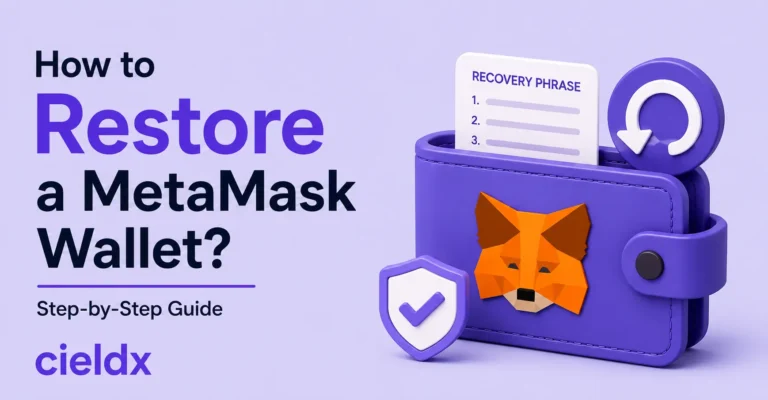
When you lose access to your MetaMask wallet, there can be nothing more frustrating than that. Since your wallet contains valuable crypto assets, it is important that you try to restore access to it as soon as possible. There can be different reasons why you might want to restore your wallet. For example, switching devices, re-installing the web browser, losing access to your MetaMask extension, or accidentally removing the wallet app.
No matter what the scenario is, restoring the wallet is a very straightforward process. However, you need to make sure that you have the correct Secret Recovery Phrase of the wallet with you. Though, there are other ways through which you can restore your wallet, the most successful one is restoring it through the seed phrase.
In this guide, we shall explain to you how to restore your MetaMask wallet safely and avoid common mistakes. Besides that, we shall also take a dig at how you may avoid common recovery mistakes and protect your assets.
Let’s find out how MetaMask recovery works
MetaMask is a renowned non-custodial crypto wallet, which means you can easily control your private keys as well as the digital assets that you plan to save. MetaMask does not have the necessary permission to reset your wallet password. Besides that, it cannot recover your wallet as well. It means you will solely be responsible for the safety of your wallet and what happens to it afterwards.
When you proceed with MetaMask wallet download set up your wallet for the first time, you get a 12-word Secret Recovery Phrase which acts as the master key to your wallet. This master key serves as a very important piece of information which you need for wallet recovery, as and when needed. Please note that it is important to create a secure backup of the seed phrase so that you can restore your wallet as and when needed.
Important information required to restore the MetaMask wallet
Prior to beginning the wallet recovery process, it is important to find out whether or not you have the following:
- Your 12-word Secret Recovery Phrase
- MetaMask password
- Access to your previous device
- Browser backup data
- Hardware wallet connected to MetaMask (if applicable)
Steps to restore a MetaMask wallet
Now comes the part wherein we shall discuss with you how to restore the MetaMask wallet, and the steps to do the same are given right here. Well, you also need to understand that the complete recovery process depends on what information you have:
- If you do not have it, first, you must download MetaMask from its official website.
- Now, open the wallet application and choose “Import existing wallet.”
- When asked for it, carefully write down the 12 or 24 words of the seed phrase.
- Make sure that the words you provide are in the correct order and are not misspelled.
- After providing the correct phrase, you must create a new password.
- Lastly, your wallet will be restored successfully.
What if you do not have the seed phrase?
In case you do not have the seed phrase with you, there is a high possibility that you will not be able to restore your wallet ever. First of all, you can check other devices available to you, where you can try to find out whether or not you are logged in to your wallet on those devices. Besides that, you can also look for some “backup files” or check some other locations where you may find the seed phrase.
On the other hand, if you are still logged in to your wallet on one of your devices, you may easily get your hands on the wallet’s seed phrase from there. However, if you do not have your complete seed phrase, you can still recover it. Wondering how? Check the details in the section to follow.
What is CieldX Wallet and its “Seed Phrase Recovery” feature?
Well, CieldX Wallet is one of the latest yet most advanced crypto storage services that has some exclusive features. The wallet is available in the form of a desktop app which you can download on your Windows or mac device. The wallet supports a wide range of crypto assets and multiple chains, so that you can enjoy working with multiple crypto assets under one roof. Moreover, CieldX is also one such wallet that comes with multiple advanced features that you’ll find in most wallets.
One of the most significant features of the wallet is its “Seed phrase recovery,” which allows users to restore one or two missing words of the seed phrase. You can choose the “download for Windows” or “download for MacOS” option to go ahead with that.
To use this feature, you can set up an account on CieldX, navigate to its dashboard, and then choose the “One Word Missing” option. On the following page, you need to provide the remaining words of the seed phrase that you remember. After following just a few more steps, you can try some suggested word combinations and see if one of them works.
Common MetaMask Wallet recovery mistakes to avoid
While restoring your wallet, you need to make sure that you keep something in mind so that you don’t run into problems and avoid any common mistakes. Here are some common mistakes to avoid:
- Do not share your Secret Recovery Phrase with anyone claiming to be a MetaMask support representative, social media contacts, recovery services, or Telegram groups.
- Look out for fake websites that scammers create to steal your wallet credentials. Trust only official wallets and websites to restore your wallet.
- Never make the mistake of saving your seed phrase online- e.g., cloud services, drive, etc.
Final words:
Restoring the MetaMask wallet is a very simple process if you have the correct seed phrase with you. However, if you do not have the seed phrase, you will face a lot of difficulty in restoring your wallet. Instead of trying to restore the wallet through unusual ways, try to look for the wallet backup files and see if you are logged into your wallet on another device.
FAQs:
Can I recover my MetaMask wallet if I lose my device?
Yes, you can restore your wallet on a new device using your Secret Recovery Phrase.
What happens if I forget my MetaMask password?
You can reset your password and regain access using your Secret Recovery Phrase.
Can I store NFTs in MetaMask?
Yes, MetaMask supports NFTs on compatible blockchain networks.
Does MetaMask support multiple blockchains?
Yes, MetaMask supports Ethereum and various EVM-compatible networks.
How do I connect MetaMask to a decentralized application (dApp)?
Simply click “Connect Wallet” on the dApp and approve the connection request in MetaMask.
Can someone access my funds if they know my wallet address?
No, a wallet address is public, but access to funds requires your private key or Secret Recovery Phrase.
Can I transfer crypto from MetaMask to an exchange?
Yes, you can send supported cryptocurrencies from MetaMask to a compatible exchange wallet address.